An SEO audit is a health check for a web page. It looks at the page the way a search engine does and lists the problems that could stop it from being found, understood or shown in results. A good audit doesn't stop at problems. It tells you which ones matter most and how to fix each one.
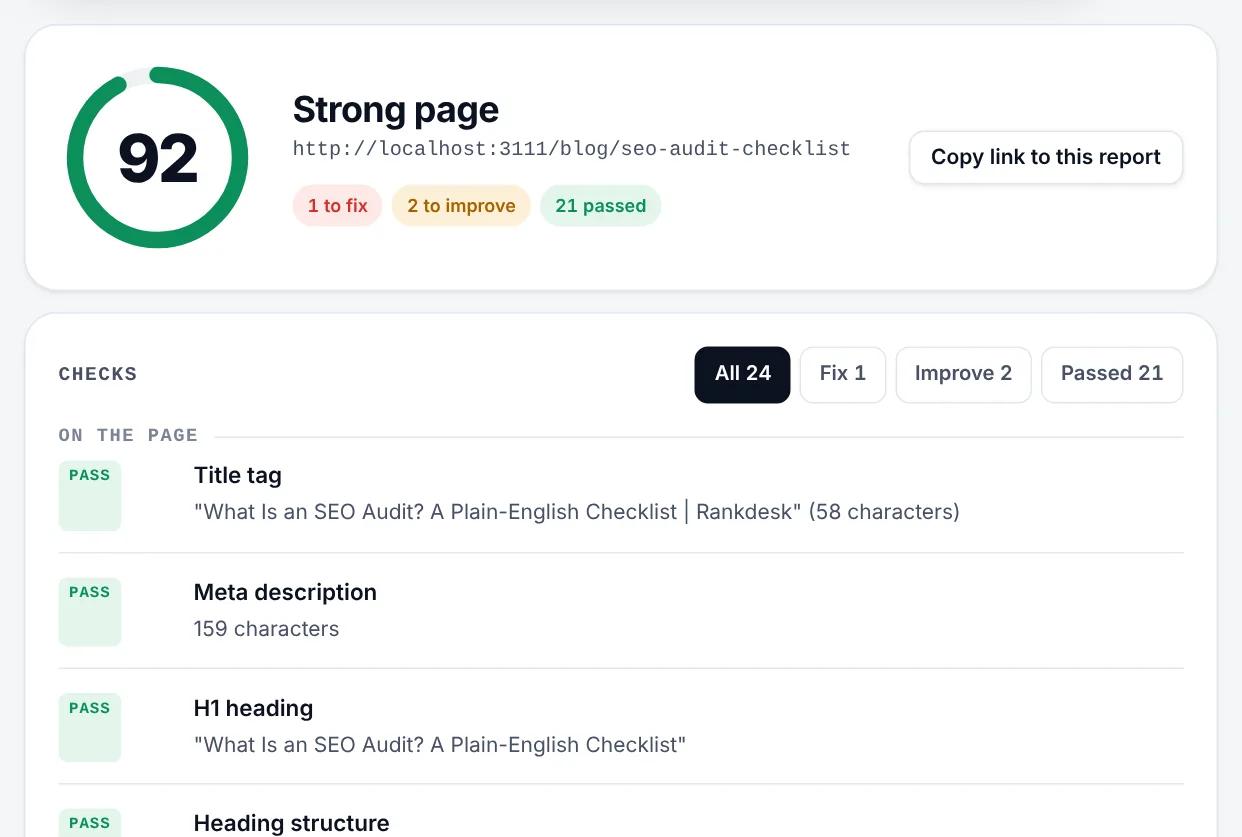
You don't need to be technical to run one or act on it. Most fixes are a sentence in a title, a missing tag or a setting in your website builder. This guide walks through what an audit checks, in the order to fix things, and shows a real audit of Rankdesk, the site you're reading.
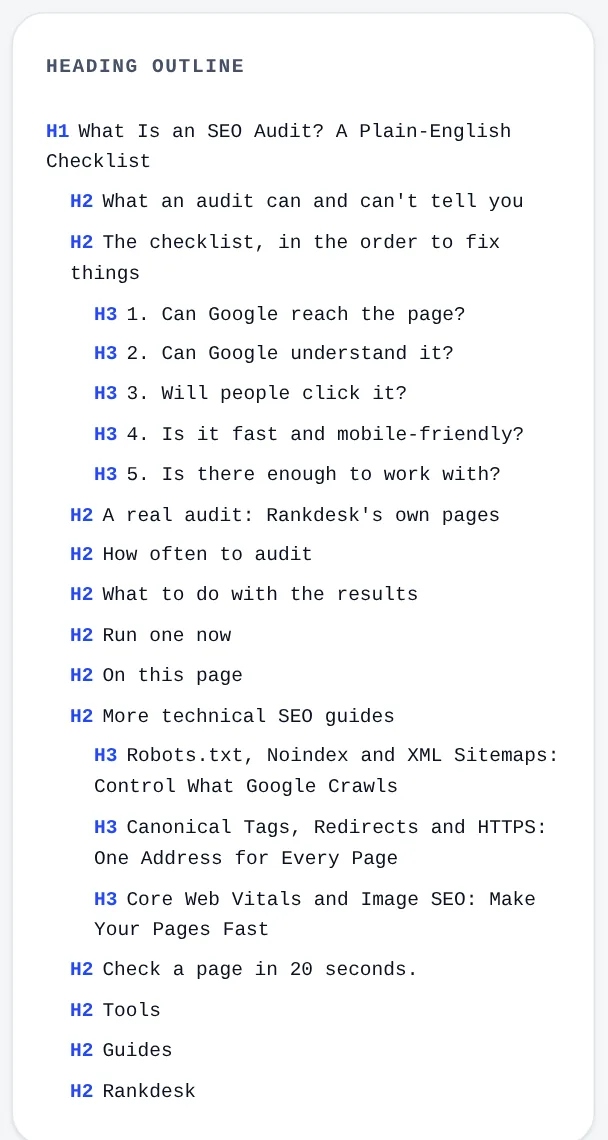
What an audit can and can't tell you
An audit checks the things you control on your own site: the code, the structure of the content and how the server responds. It can't see how strong your competitors are, how many other websites link to you, or whether your page answers the search better than the one ranked first.
So treat the score as a floor, not a ceiling. A page with serious technical problems will struggle however good it is. A page with a perfect score still needs useful content and some reputation to rank well.
The checklist, in the order to fix things
Work from the top down. The early items can stop a page from appearing in Google at all. The later ones decide how well it does once it's there.
1. Can Google reach the page?
- HTTP status 200. A page that returns 404 (not found) or 500 (server error) can't be indexed.
- Not blocked by robots.txt. One wrong line can hide a whole section of a site.
- No accidental noindex. A noindex tag tells Google to leave the page out of results. It's often left on by mistake after a new site goes live.
- HTTPS, with
http://addresses redirecting tohttps://in one step.
The guide to robots.txt, noindex and sitemaps and the guide to canonical tags and redirects cover these in detail.
2. Can Google understand it?
- A clear title tag of roughly 50 to 60 characters, with the main search phrase near the start.
- One H1 heading that says what the page is about, then H2 and H3 headings in order, without skipping levels.
- A canonical tag pointing to the preferred address, so copies don't compete.
- Alt text on images, describing what each image shows.
- Structured data (schema) that labels your business, products or articles in a format machines read easily.
3. Will people click it?
- A meta description that answers the search and gives a reason to click.
- Open Graph tags, so the link shows a proper title and image on WhatsApp, Facebook and LinkedIn.
- A favicon, which Google shows next to your result on mobile.
See the guide to title tags, meta descriptions and share previews.
4. Is it fast and mobile-friendly?
- A mobile viewport tag, so the page fits phone screens.
- Core Web Vitals: how quickly the main content appears (LCP), how fast the page reacts to taps (INP) and how much the layout jumps (CLS). The Core Web Vitals guide explains each.
- Compression and a quick server response, so the HTML arrives fast.
5. Is there enough to work with?
- Enough useful text to answer the searcher's question. There's no magic word count, but a 40-word page rarely beats a thorough one.
- Internal links to related pages, so Google finds them and understands how they connect.
- An XML sitemap listing the pages you want indexed.
A real audit: Rankdesk's own pages
When I first ran Rankdesk's audit on Rankdesk itself, the home page scored 87. The tool worked, but the site that sells SEO checks was failing some of them. These are the problems it found across the site, and what I changed:
| What the audit found | Why it mattered | The fix |
|---|---|---|
| Several title tags over 60 characters | Google would cut them off mid-word in results | Shortened them, and added a separate shorter "SEO title" for long guide headlines |
| Meta descriptions over 160 characters | The end of the pitch would be cut off | Rewrote them to fit, with the main point first |
| A category page jumped from H1 straight to H3 | Skipped heading levels make the outline harder to follow | Added an H2 for the list of guides |
| The contact page was very thin | A few lines of text gave Google and visitors little to go on | Added how to report a wrong audit result, how feature requests are handled and answers to common questions |
| HTTPS and compression failed | Only on my computer, where the test copy runs without them | Nothing. The live site passes both |
The last row is worth remembering. Read each result in context. An audit of a test copy, a staging site or a page behind a login will flag things that are fine in production. When a result surprises you, check the live page before changing anything.
How often to audit
- When you publish a new page.
- After any change you didn't make yourself: a redesign, a theme or plugin update, or a move to a new platform.
- When traffic drops suddenly.
- Monthly for your most important pages on an established site.
Changes made by someone else are a common cause of problems. A developer leaves noindex on from the staging site, a plugin update rewrites your titles, or a new theme drops your schema. A quick audit after any change catches these before they cost you visitors.
What to do with the results
- Fix anything marked "fix" first. Blocked pages, error codes and noindex tags stop everything else from mattering.
- Work through the "improve" items page by page. Start with the pages that earn you money: home, main service or product pages, and contact.
- Audit again after each change to confirm the fix worked.
- Ask Google to recrawl important pages with the URL Inspection tool in Google Search Console.
Run one now
The Rankdesk SEO audit checks a page against everything above, plus Google's own PageSpeed data, in about 20 seconds. Each problem comes with a plain explanation and a link to the tool that writes the fix, already filled in with your site's details. Copy the link to a report to share it with whoever builds your site.